Ubuntu Desktop Gnome Shell or Unity proxy settings
Written by Guillermo Garron
Date: 2013-01-31 16:11:13 00:00
So you are working with Ubuntu, and you need to manually configure the proxy your Ubuntu Desktop is going to use.
The steps are almost the same for Unity or Gnome Shell. I use Gnome shell.
Go to Network Settings, it is under System Settings.
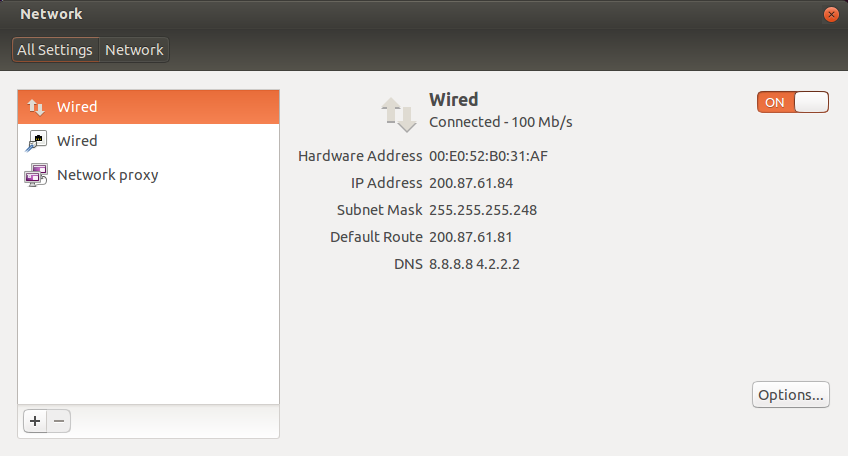
Select Network proxy
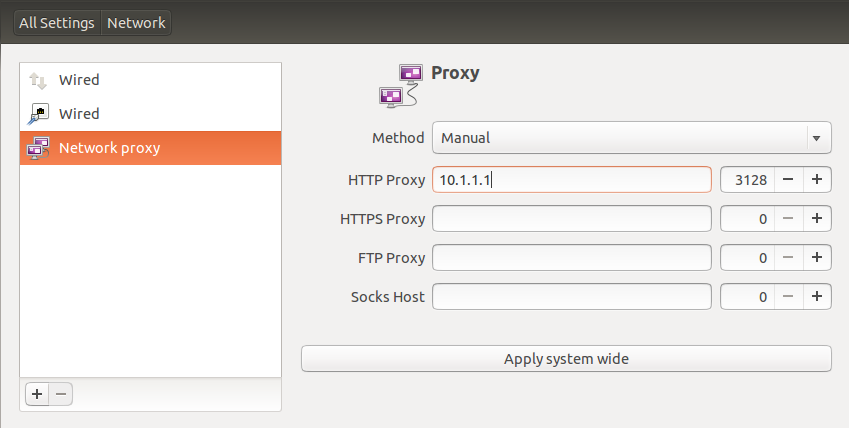
Select the method to manual and enter the proxy IP and port, click apply system wide, and enter your password.
That will setup the proxy on Ubuntu for all your browsers, apt-get and all system functions.